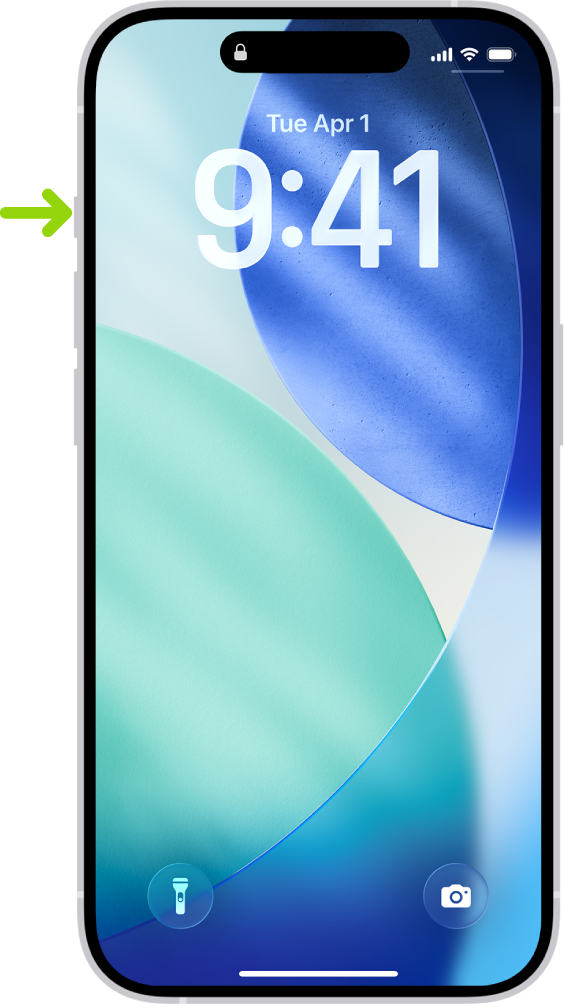
On supported models, iPhone has an Action button in place of the Ring/Silent switch. You can choose which function you want the Action button to perform when you press it. Because the button is so accessible, it’s useful for actions you perform often. (The location of the Action button is shown below.) It’s easy to change the Action button to perform a different function.
Configure the Action button
1. Go to the Settings app on your iPhone.
2. Locate and select the Action Button setting
3. Swipe to the right and locate the Shortcut option and select Choose a Shortcut...
4. At the top of the page, select Search Shortcuts and type in "weavix"
5. Select the Push to Talk shortcut under the weavix App
Now your Action Button has been configured to send Push to Talk messages to your Active Channel within the weavix app.
Sending a Push to Talk message with the Action Button
After you have configured your Action Button to send Push to Talk messages with the weavix app, you can start sending messages to your Active Channel anytime on your phone, even when your phone is locked!
Some important things to note, your weavix app must be configured properly so that you can send to the channel that you want to and hear any responses to your message:
- Change your weavix app to Scan All Channels mode to ensure you can use the Action Button and you're hearing messages played aloud on your phone
- Change your Active Channel by swiping left on the channel you wish to select and tapping the checkmark
When using the Action Button to send messages, you must follow iPhone's method of triggering the Action Button:
- The Action Button requires a Press and Short Hold to both start and end a Push to Talk message. When you start and stop sending a Push to Talk message, you will see it indicated in the Dynamic Island like this, along with haptic and audible feedback indicating you've started or stopped recording a message.
- You will see a orange dot in the Dynamic Island while you are sending a Push to Talk message.
- If you press the Action Button and do not hold long enough, you will get feedback indicating so.
Comments
0 comments
Please sign in to leave a comment.